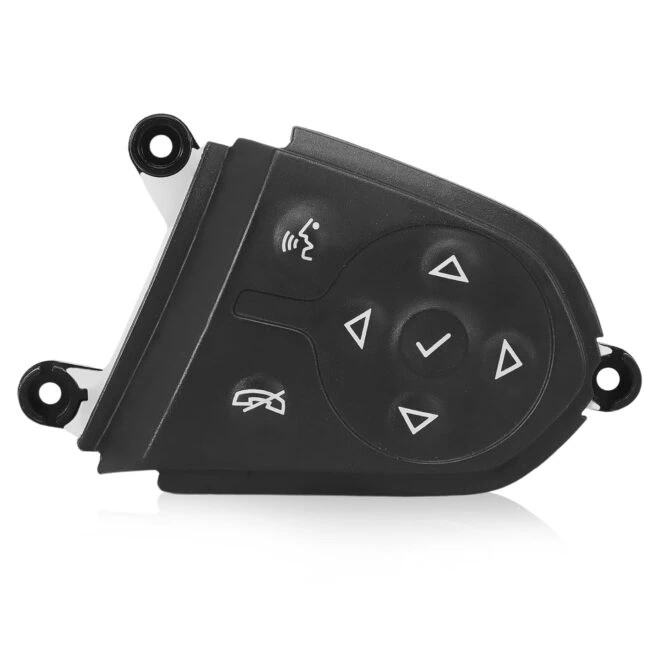
A common misconception in the GM upgrade/retrofit space is that Apple CarPlay and Android Auto automatically support all factory steering wheel controls once projection is enabled. In practice, this is generally not true.
Many owners discover after installation that track skip, call handling, voice control, or even volume controls no longer function correctly inside of projection— even though CarPlay or Android Auto appears on the screen and works properly.
This tech note explains why steering wheel controls frequently break after retrofits, what is required to preserve them, and how WAMS approaches projection upgrades to maintain OEM-level driver control behavior.
Why Steering Wheel Controls Break After CarPlay or Android Auto Retrofits
Most retrofit solutions focus on enabling projection display and audio routing but overlook how driver inputs are processed across multiple vehicle modules discarding the reality that both CarPlay and Android Auto were developed to keep peoples eyes on the road and hands off the screen.
In GM vehicles, steering wheel controls are not interpreted by a single component. Proper operation depends on coordinated behavior between:
- The infotainment system
- Supporting control modules
- The instrument cluster
- Vehicle-specific configuration and programming
If any of these elements are not projection-aware, steering wheel inputs may partially work, behave inconsistently, or fail entirely.
This is why many aftermarket and “plug-in” solutions deliver projection functionality but lose factory control behavior.
Why Steering Wheel Control Support Is Platform-Dependent
Steering wheel control behavior is not universal across GM platforms or model years.
Factors that affect support include:
- Infotainment generation and hardware capability
- Cluster behavior and firmware expectations
- Model-year-specific control routing
- Infotainment Specific control routing
- Projection-aware input handling
As a result, simply enabling CarPlay or Android Auto does not guarantee steering wheel compatibility — even when OEM hardware is used.
How WAMS Preserves Full Steering Wheel Control Functionality
WAMS approaches projection upgrades as system-level integrations, not just merely module swaps.
Where applicable, this involves:
- Selecting specific OEM GM modules that support projection-aware input handling
- Vehicle-specific retrofit programming rather than generic configuration
- Ensuring the instrument cluster can properly interpret projection-related inputs
- Validating call handling, track control, and voice command behavior
In certain supported platforms, this may include cluster configuration or upgrade paths to ensure steering wheel inputs behave exactly as intended once CarPlay or Android Auto is active.
This is why steering wheel control support varies by application — and why not every platform is supported the same way.
What “Full Steering Wheel Control Support” Actually Means
When properly supported, steering wheel controls retain:
- Track skip and media navigation
- Call answer and hang-up functionality
- Voice control activation (Siri Eyes Free / Google Assistant)
- Menu navigation behavior consistent with factory expectations
This is not achieved through mirroring devices, external controllers, or generic programming.
Important Clarifications
- Steering wheel control support is hardware and platform dependent
- Projection alone does not guarantee control retention
- Some platforms require additional configuration beyond infotainment modules
- Not all vehicles can be supported the same way
This is why WAMS evaluates each platform independently and documents supported behavior clearly before offering a solution.
Conclusion
Apple CarPlay and Android Auto can coexist with full factory steering wheel control functionality — but only when the vehicle’s infotainment system, supporting modules, and configuration are aligned correctly.
WAMS focuses on OEM-correct integration, prioritizing predictable behavior, driver control consistency, and long-term reliability over superficial feature enablement.
For owners seeking projection without sacrificing factory controls, understanding how steering wheel inputs are handled is the difference between a partial retrofit and a complete solution.