
Description
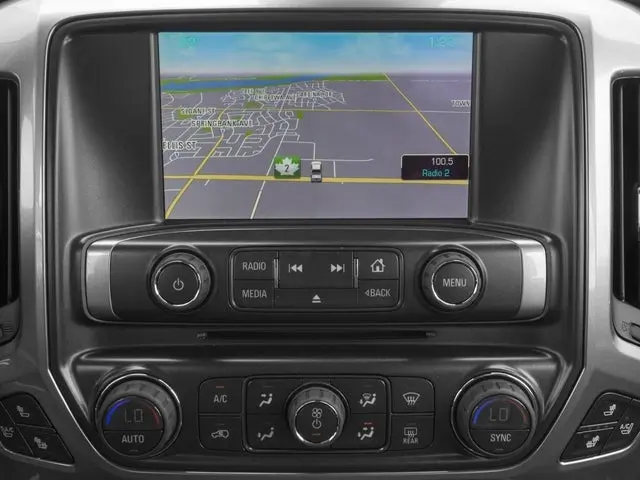
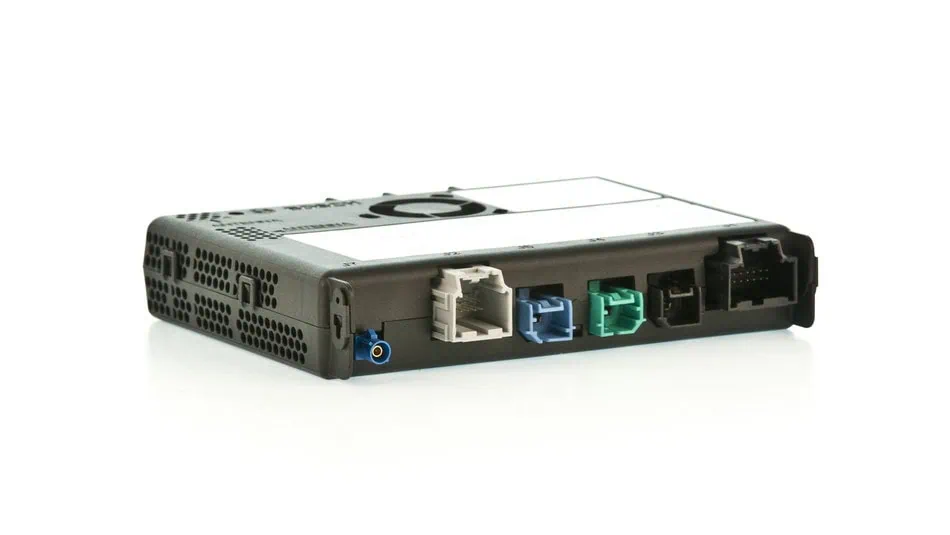
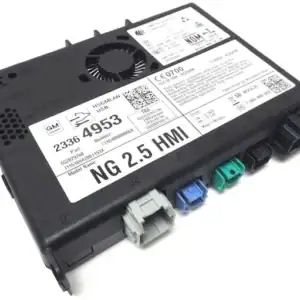
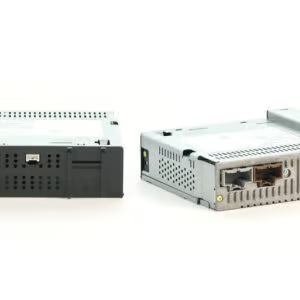
The easiest way to add factory navigation to a GM vehicle with 8″ MyLink or IntelliLink is to swap the HMI module. This navigation-capable GM HMI module arrives VIN-programmed for your 2016 or newer vehicle with 8″ HMI-based infotainment (RPO IO5), so it plugs in and works like it came from the factory. No screen swap and no aftermarket hardware. This listing is for the HMI module only and does not add Apple CarPlay or Android Auto.
Have a 2013 to 2015.5 vehicle? GM has discontinued the HMI units for these model years and they are no longer available. For these vehicles we recommend our CarPlay / Android Auto Upgrade Kit for GM Vehicles, which includes factory navigation on newer, faster hardware.
How It Works
On GM’s 8″ HMI-based infotainment, the HMI module is the brain behind the screen. Non-navigation vehicles ship with an HMI that has no navigation software. Replacing it with a navigation-capable HMI programmed to your VIN unlocks factory embedded navigation on your existing 8″ display, using the same menus, controls, and voice commands as a factory navigation vehicle.
What’s Included
- One new GM HMI module with factory embedded navigation
- Custom programming to your VIN for plug and play installation
- GM parts warranty
What’s Not Included
- GPS antenna or OnStar GPS signal splitter (required, see below)
- 8″ screen assembly (only needed for RPO IO4 vehicles)
- Apple CarPlay or Android Auto if you don’t already have it (see our CarPlay / Android Auto Upgrade Kit)
GPS Signal Required
Factory navigation needs a GPS signal to work. You will need a GPS antenna or an OnStar GPS signal splitter for your application. A compatible GPS antenna is available for under $10 on Amazon.
Compatibility
- RPO IO5 (8″ non-navigation infotainment): compatible
- RPO IO4: compatible when paired with a new 8″ screen assembly, sold separately
- RPO UE0 (OnStar delete): not compatible without custom programming
- 2013 to 2015.5 vehicles: discontinued, see our CarPlay / Android Auto Upgrade Kit
Your RPO list label is usually located in the glove box, please make sure you have confirmed fitment as these are not returnable.
Installation
Because the HMI arrives programmed to your VIN, installation is a direct swap: remove your original HMI and plug in the new one, then connect your GPS antenna or splitter. Please disconnect your battery before installing.
Optional Add-Ons
Map Update: Upgrades the map database to the model year data listed. We always offer the most current data available.
Full HMI Unlock Programming: Adds a wide range of useful features at a discounted price when bundled with this module. See our GM HMI Full Unlock page for the full feature set and requirements.
FAQ
Q: How do I add factory navigation to my GM vehicle with 8″ MyLink or IntelliLink?
A: On 2016 and newer GM vehicles with 8″ HMI-based infotainment (RPO IO5), factory navigation is added by replacing the HMI module with a navigation-capable HMI programmed to your VIN, plus a GPS antenna or OnStar GPS signal splitter. Your existing screen and controls stay in place.
Q: What does this product include?
A: This is the HMI module only. It is a navigation-capable GM HMI module programmed to your VIN. It does not include a screen, a GPS antenna, or Apple CarPlay and Android Auto.
Q: How do I know if my vehicle has HMI-based infotainment?
A: Locate your RPO list label, usually in the glove box, and look for RPO IO5, which is the 8″ non-navigation infotainment system. This product is also compatible with RPO IO4 when paired with a new 8″ screen assembly, sold separately. It is not compatible with RPO UE0 (OnStar delete) without custom programming.
Q: Is this available for 2013 to 2015.5 vehicles?
A: No. GM has discontinued the HMI units for 2013 to 2015.5 vehicles. For these model years we recommend our CarPlay / Android Auto Upgrade Kit for GM Vehicles, which includes factory navigation on newer, faster hardware.
Q: How do I tell if I have a 2015 or a 2015.5?
A: Locate your RPO list label, usually in the glove box, and look for RPO VV4 or AVF. If you have either one, your vehicle is a 2015.5.
Q: Do I need a GPS antenna?
A: Yes. You will need a GPS antenna or an OnStar GPS signal splitter for your application. A compatible GPS antenna is available for under $10 on Amazon.
Q: Does this add Apple CarPlay or Android Auto?
A: No. This module adds factory navigation only. For CarPlay and Android Auto, see our CarPlay / Android Auto Upgrade Kit for GM Vehicles.
William Barber (verified owner) –
Great service, fast delivery (took like a week) and identical product as the one I removed. I have a 2016 2500HD. Got the unlocked HMI 2.5 and the harness for camera. Took like 30 minutes to install both. Works perfectly. Worth the money. These guys do it right. Just buy it and be done.
Wayne Fisher (verified owner) –
I probably could have saved $149 by not getting everything unlocked, but Installation was a breeze. Love when things are plug and play. I added GPS, which I use for traveling and new places in town. Bought a GPS antenna from somewhere the help department recommended and had both installed in the rain in less than 30 minutes. Not bad considering I didn’t know what I was doing. Replaced my digitizer on the same day (which solved my ghost button issue). I enjoy driving my truck again.
firemandd7435126 (verified owner) –
I just did the WAMS supplied HMI with GPS upgrade for my 2017 2500HD. The install was easy, plug and play. I went with the factory GPS splitter so it was a little more involved. It works great. I ordered it on Sunday and received it on Thursday, less than a week. Thank you.
Raymond Whitaker (verified owner) –
I just installed my fully unlocked factory upgrade GPS HMI for my 2018 Acadia. It was plug and play! I love it! A+A+A+A+
Raymond Whitaker (verified owner) –
I just installed my fully unlocked factory upgrade GPS. I love it. It was plug and play! A+A+A+A+
llehman (verified owner) –
My HMI failed in my 17 LT Z71 Silverado. I ordered a replacement unit here and I upgraded to NAV and unlocked. The buying process was great and they were super at communicating with me. Installation difficulty was 3/10 as some of the clips are annoying to open. I needed a special harness from Harness dr and a GPS antenna that I ordered from Amazon for $10 for the upgrade and rear camera while in motion. I work on a golf course and this is a very helpful feature. I compared the pricing to the two main competitors and I think I got the best value. You’ll need a 10mm, T15 and a plastic trim tool for the installation. Factory AC Delco, great unit, works exactly as advertised, thanks.