
Description
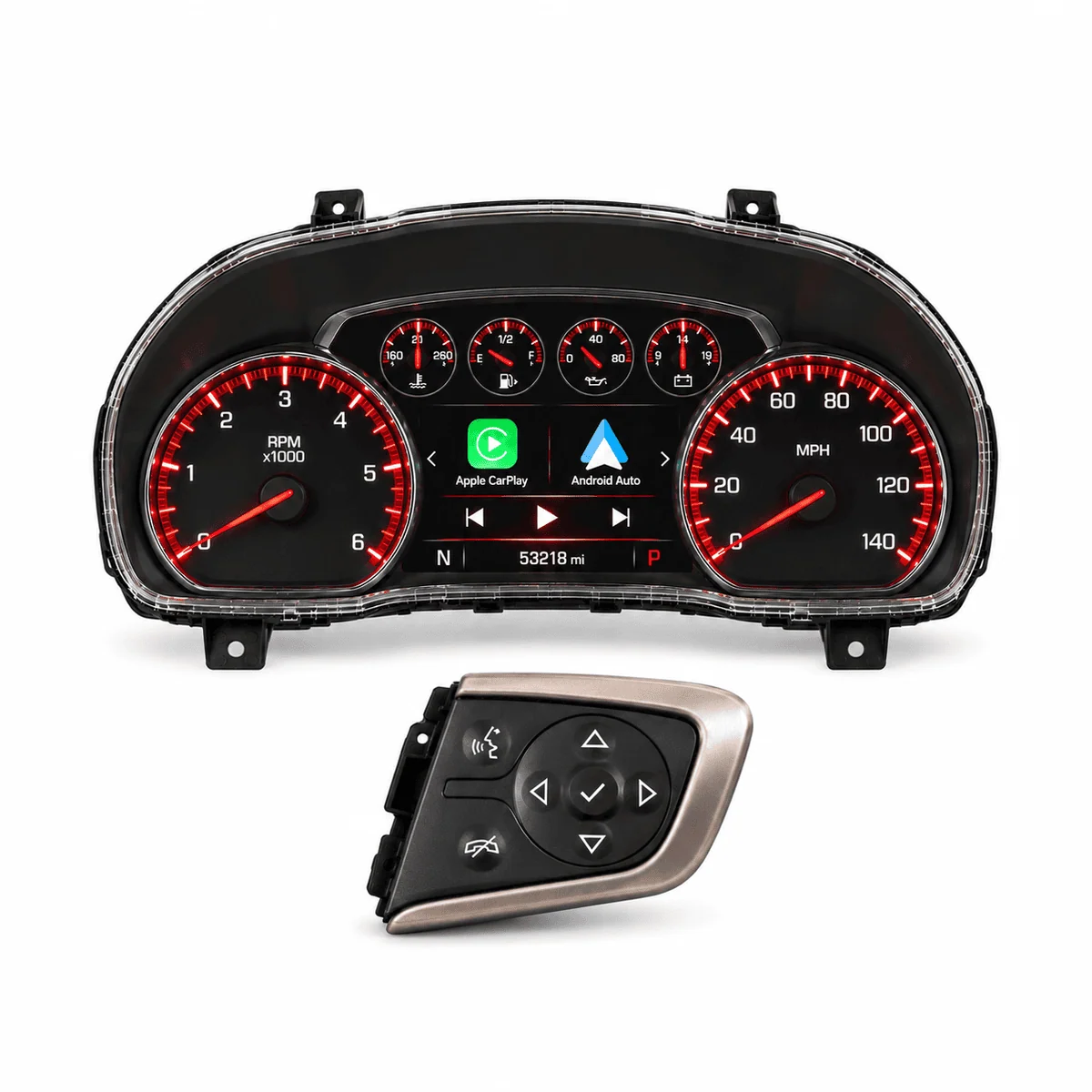
This WAMS exclusive ship-in programming service makes your 2014-2015.5 Denali instrument cluster fully CarPlay and Android Auto compatible, programmed to your VIN. You send us the cluster, we program it, and we send it back. We do not supply the cluster. It is the companion to our Apple CarPlay & Android Auto Upgrade Kit for 2014-2015.5 Sierra, Sierra HD, Yukon and Yukon XL, and it does two jobs:
- Upgrade the Denali cluster you already have. Your steering wheel controls don’t work inside CarPlay and Android Auto after installing our upgrade kit. Send us your cluster and it comes back with full control, with your odometer and engine hours retained.
- Use a 2014-2015.5 Denali cluster instead of a 2016. The 2016 red Denali cluster was the usual choice to pair with our CarPlay kit, and it is no longer available new. A 2014-2015.5 Denali cluster programmed through this service takes its place, with the same red backlighting.
No BCM to send, no wiring and no dealer visit. The cluster plugs straight into the dash.
Built for our CarPlay and Android Auto Upgrade Kit
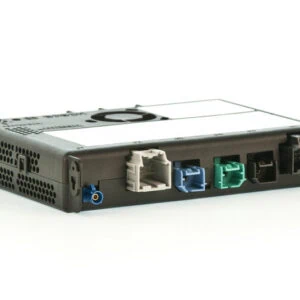
This service is designed and tested with the brand-new, VIN-programmed HMI and radio in our Apple CarPlay & Android Auto Upgrade Kit. The kit adds CarPlay and Android Auto to your 2014-2015.5 truck or SUV. This service finishes the job at the cluster, so the buttons on your steering wheel work inside both apps the way they would on a factory-equipped vehicle. Together they give you the complete OEM experience.
- Ordering the kit now? Add this service to the same order. The kit ships to you, and you send us your Denali cluster for programming.
- Already installed our kit? Order this service on its own and ship us your cluster.
- Retrofit done with other hardware? Contact us before ordering so we can confirm compatibility.
Why this service exists
Early Sierra and Yukon models use red interior lighting, and every 2014-2015.5 Denali cluster has red backlighting to match. Those clusters were built before GM offered CarPlay and Android Auto, so after our CarPlay and Android Auto upgrade they do not fully support steering wheel control inside those apps. Controls outside the apps keep working, but Siri Eyes Free, answering and ending calls, volume and track skip are the functions most often missing, especially on iPhones running iOS 15 or later. The 2016 red clusters that worked with the upgrade are no longer available new, and the Denali clusters available today are blue. This service fills that gap with the cluster your vehicle was designed around.
What’s included
This is a programming service for a 2014-2015.5 Denali cluster you supply, either the one from your vehicle or a used unit you source. The cluster itself is not included.
- Programming of your cluster to your VIN with full steering wheel control inside Apple CarPlay and Android Auto, including Siri and Google voice activation
- Your cluster keeps its red backlighting and GMC Denali graphics, matching 2014-2015.5 Sierra and Yukon interior lighting
- Odometer and engine hours retained when we upgrade the cluster already in your vehicle
- Return shipping of your programmed cluster, ready for a plug-and-play install with no BCM, no wiring and no dealer visit
Which service fits your vehicle
| Your situation | Best fit |
|---|---|
| You want a 2014-2015.5 Denali cluster with working CarPlay controls | This service |
| You have the standard 4.2″ color cluster (UDD) and want to keep it | 4.2″ Color Cluster (UDD) CarPlay Controls Service |
| You want a new Denali cluster (2016 or later, blue) | Denali Cluster Upgrade Kit |
| You bought a 2016 or later Denali cluster and need it programmed | Denali Cluster Programming Service |
| You haven’t added CarPlay and Android Auto yet | CarPlay and Android Auto Upgrade Kit plus this service on the same order |
Before you order
- Your vehicle is a 2014-2015.5 K2 truck or SUV with our Apple CarPlay & Android Auto Upgrade Kit installed, or ordered together with this service. If your retrofit used other hardware, contact us first.
- The cluster is a 2014-2015.5 Denali cluster that matches your vehicle’s fuel type, gas or diesel. Check the part number against our Denali cluster fitment matrix before you buy a used one.
- If your steering wheel has no cluster control buttons, contact us before ordering.
- Choose 2015.5 as your model year if your SPID label lists RPO AVF or VV4.
How it works
- Place your order with your VIN, model year, transmission and fuel type.
- Ship the cluster to us following our Shipping Instructions.
- We program the cluster to your VIN and ship it back.
- Disconnect the battery, plug the cluster in and reconnect the battery.
Odometer and engine hours
When we upgrade the Denali cluster already in your vehicle, your odometer and engine hours are retained. Nothing is reset.
When a cluster is going into your vehicle for the first time, the odometer syncs to your vehicle’s mileage when you install it. Engine hours are set to zero unless you send us a GDS2 report from a GM dealer showing both total and idle hours.
Frequently asked questions
Q: What does this service do?
A: It is a ship-in service. You send us a 2014-2015.5 Denali instrument cluster and we program it to your VIN with full Apple CarPlay and Android Auto steering wheel control, for 2014-2015.5 vehicles with our Apple CarPlay & Android Auto Upgrade Kit. Use it to upgrade the Denali cluster already in your vehicle, or to install a 2014-2015.5 Denali cluster in place of the discontinued 2016 red cluster.
Q: Why don’t my steering wheel controls work in CarPlay after installing the kit?
A: The 2014-2015.5 cluster software predates CarPlay and Android Auto. Controls outside those apps keep working, but inside them, Siri Eyes Free, answering and ending calls, volume and track skip are the functions most often missing, especially on iPhones running iOS 15 or later. This service restores them.
Q: Do I need your CarPlay and Android Auto Upgrade Kit?
A: Yes. This service is built around the HMI and radio in our Apple CarPlay & Android Auto Upgrade Kit and is the companion to it. If your retrofit used other hardware, contact us before ordering.
Q: Can I order this with the CarPlay kit?
A: Yes. Add both to the same order. The kit ships to you, and you send us your Denali cluster for this service. Install everything once the cluster comes back.
Q: Which vehicles is this for?
A: 2014-2015.5 GMC Sierra 1500, 2015-2015.5 Sierra 2500HD and 3500HD, and 2015-2015.5 Yukon and Yukon XL with our CarPlay and Android Auto Upgrade Kit, Denali trim or not. 2014-2015.5 Chevrolet Silverado, Tahoe and Suburban with our kit can use it too, though the red backlighting will not match their interior lighting.
Q: Is my truck a 2015 or a 2015.5?
A: Check the SPID label in your glove box. If it lists RPO AVF or VV4, you have a 2015.5.
Q: Which clusters can I use?
A: 2014-2015.5 K2 Denali clusters. Every Denali cluster from those years has red backlighting and GMC Denali graphics. The cluster must match your vehicle’s fuel type, gas or diesel. Use our Denali cluster fitment matrix to confirm the part number before you buy one.
Q: I was going to use a 2016 red Denali cluster with my CarPlay kit. What now?
A: New 2016 red Denali clusters are no longer available from GM. A 2014-2015.5 Denali cluster programmed through this service takes its place, with the same red backlighting and full CarPlay and Android Auto steering wheel control. Used 2014-2015.5 Denali clusters are also easier to find.
Q: Can I add a Denali cluster to my non-Denali Sierra or Yukon?
A: Yes. A 2014-2015.5 Denali cluster programmed through this service matches the red interior lighting in your 2014-2015.5 Sierra or Yukon. If your steering wheel has no cluster control buttons, contact us before ordering.
Q: Do you supply the cluster?
A: No. This is a programming service for a cluster you send us. It can be the cluster from your vehicle or a used 2014-2015.5 Denali cluster you source yourself.
Q: Do I need to send my BCM?
A: No. We only need the cluster.
Q: Are my odometer and engine hours retained?
A: Yes, when we upgrade the Denali cluster already in your vehicle. Your odometer and engine hours are retained and nothing is reset. If you are installing a cluster for the first time, the odometer syncs to your vehicle’s mileage when you install it, and engine hours are set to zero unless you send us a GDS2 report from a GM dealer showing both total and idle hours. Put the hours in your order notes and send the report through our contact page with your order number.
Q: How do I install the cluster when it comes back?
A: Disconnect the battery, plug the cluster in, and reconnect the battery. There is no wiring, no dealer visit and no additional programming.
Q: Why not buy a new Denali cluster instead?
A: You can. Our Denali Cluster Upgrade Kit supplies a new 2016 or later Denali cluster, and those units have blue backlighting. New red Denali clusters are no longer available from GM. If you want red backlighting to match the interior lighting in a Sierra or Yukon, this service is the way to get it.
Q: How is this different from the Denali Cluster Programming Service?
A: This service is only for 2014-2015.5 Denali clusters and includes CarPlay and Android Auto steering wheel control. For 2016 and later Denali clusters, use our Denali Cluster Programming Service.
Q: I have the standard 4.2-inch color cluster and want to keep it. What do I need?
A: Our 4.2-inch Color Cluster (UDD) CarPlay and Android Auto Steering Wheel Controls Programming Service does the same job for the standard color cluster.
Reviews
There are no reviews yet.