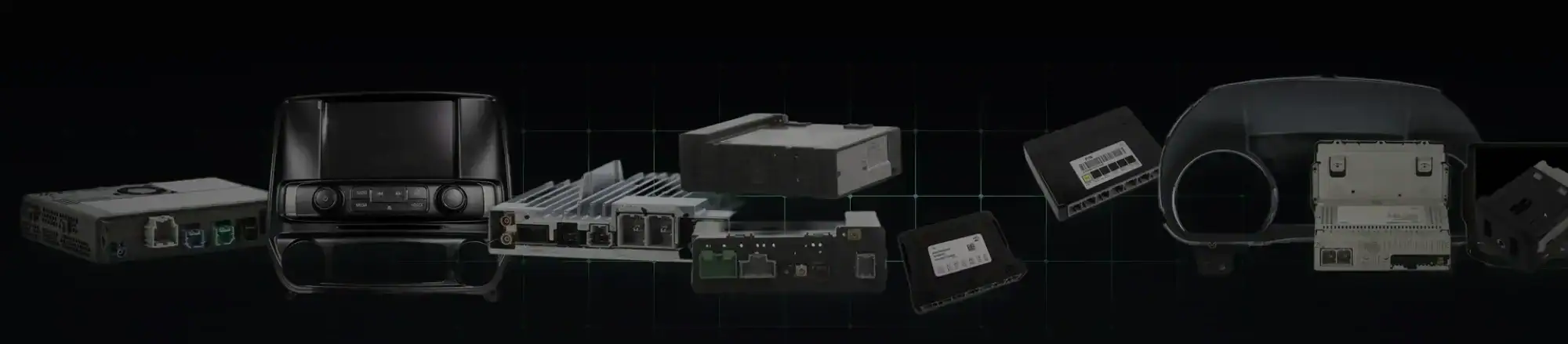
Apple CarPlay, Android Auto, Wireless CarPlay, HMI Modules, CSM Modules & OEM GM Infotainment Retrofits
GM infotainment systems used in Chevrolet, GMC, Cadillac, and Buick vehicles use a modular architecture consisting of several electronic control modules that communicate across the vehicle CAN network. Unlike traditional aftermarket radios, GM systems distribute infotainment functionality across multiple components including the display screen, infotainment controller, and radio/audio module.
These systems are commonly referred to as Chevrolet MyLink, GMC IntelliLink, and Cadillac CUE infotainment systems depending on the brand and model year.
Because these components operate independently, many GM vehicles can be repaired or upgraded using genuine OEM modules when programmed correctly to the vehicle VIN and RPO configuration.
White Automotive & Media Services specializes in OEM-correct GM infotainment upgrades using brand-new GM modules programmed specifically to the vehicle VIN, ensuring plug-and-play installation and factory-level operation.
Unlike aftermarket infotainment replacements, OEM upgrades maintain full vehicle integration including:
• steering wheel controls
• driver information center / cluster integration
• warning chimes
• backup and surround cameras
• OnStar functionality
• vehicle settings menus
• factory diagnostic compatibility
Quick Answer
The safest way to repair or upgrade a GM infotainment system is to install OEM GM infotainment hardware programmed to the vehicle VIN and option configuration.
Depending on the vehicle platform this may involve replacing or upgrading:
• the HMI module
• the CSM module
• the radio / ACM module
When properly programmed these upgrades function exactly like factory-installed equipment.
Many of these upgrades involve replacing or upgrading factory modules such as the HMI module, CSM infotainment controller, or radio/ACM module, all of which are available as VIN-programmed OEM replacements from specialized GM electronics suppliers.
GM Infotainment Architecture
Most GM infotainment systems consist of several separate electronic components.
Understanding how these modules work together is essential when diagnosing failures or planning upgrades.
Display Screen
The touchscreen display provides the visual interface for the infotainment system.
It displays:
• navigation maps
• Apple CarPlay and Android Auto
• camera views
• radio data
• vehicle settings menus
In most cases the screen itself is not the main computer — it is simply the interface.
HMI Module (Human Machine Interface)
Many GM vehicles built between approximately 2013 and 2019 use an HMI module as the primary infotainment controller.
The HMI module runs the infotainment operating system and manages:
• Apple CarPlay (if equipped)
• Android Auto (if equipped)
• Bluetooth
• Embedded Navigation (if equipped)
• voice commands
• smartphone projection
• infotainment menus
• much more
Failures of the HMI module are one of the most common causes of infotainment problems.
Symptoms often include:
• black screen
• frozen infotainment system
• repeated rebooting / boot looping
• “Waiting for Update Media” message
Replacement GM HMI modules can restore the infotainment system when programmed to the vehicle VIN.
Replacement GM HMI Module (HMI 1.1 / 2.0 / 2.5)
CSM / HMI 3.x Infotainment Controller
Many newer GM vehicles use the newer CSM (Center Stack Module) infotainment controller, also many times incorrectly referred to as the “HMI” 3.x platform.
These systems are commonly found in many 2017.5–2026 GM vehicles across both Global A and Global B architectures.
CSM modules may be referred to by dealerships or owners as:
• infotainment module
• radio module
• infotainment controller
• “HMI” (its not an HMI even though that is one of its functions)
However they are actually the primary infotainment computer in these systems.
The CSM platform includes multiple generations such as:
• HMI / CSM 3.0
• HMI / CSM 3.5
• HMI / CSM 3.6
• HMI / CSM 3.7
• HMI / CSM 3.8
These modules control:
• infotainment software
• wireless smartphone projection (if equipped)
• system connectivity
• vehicle settings integration
When a CSM module fails, the entire infotainment system may stop functioning.
Replacement GM CSM / “HMI” Module (3.0 – 3.8)
Radio / Audio Control Module (ACM)
The radio or Audio Control Module (ACM) handles the audio side of the infotainment system in HMI based applications. This unit is the MOST BUS master for the entire system.
This module manages:
• audio processing
• radio tuner
• amplifier communication
• HD Radio functionality
• SiriusXM satellite radio
When the ACM fails, the infotainment screen may still function but no audio will be present.
Typical symptoms include:
• no sound from speakers
• intermittent audio
• infotainment system not powering on
Replacing the radio module with a VIN-programmed OEM unit restores full audio functionality.
Replacement GM Radio / Audio Control Module (ACM)
Why VIN Programming Is Required
GM vehicles are configured using RPO codes (Regular Production Options) that define the exact equipment installed in the vehicle.
Examples include:
• infotainment package type (IO4 / IO5 / IO6 / IOS / IOT / IOK / IOV)
• premium audio systems such as Bose
• navigation functionality
• camera configurations
• driver assistance features
Replacement or upgraded modules must match the vehicle configuration.
VIN-programmed modules ensure that:
• all vehicle options function correctly
• audio systems operate properly
• cameras remain functional
• smartphone projection works correctly
Using mismatched modules can lead to missing features or software conflicts.
Apple CarPlay and Android Auto Retrofit Upgrades
Many GM vehicles built in the mid-2010s were equipped with infotainment hardware that predates smartphone projection.
In many cases these vehicles can gain Apple CarPlay or Android Auto by installing a compatible infotainment module.
Once installed and programmed correctly, smartphone projection operates exactly like factory-equipped vehicles.
Apple CarPlay / Android Auto Upgrade 2013-2015 GM Vehicles
Wireless Apple CarPlay and Wireless Android Auto Upgrades
Some GM infotainment systems support wireless smartphone projection, allowing phones to connect automatically without a USB cable.
Wireless upgrades typically involve installing compatible infotainment hardware or radio modules.
WAMS offers wireless upgrade solutions for specific platforms including:
Silverado / Sierra Wireless CarPlay Upgrade
Supported upgrades may include:
• wireless Apple CarPlay
• wireless Android Auto
• factory navigation
• HD Radio
Silverado / Sierra Wireless CarPlay Upgrade
Cadillac CT4 Wireless CarPlay Upgrade
The 2020 CT4 did not originally include wireless smartphone projection.
Upgrade solutions can bring these vehicles to later infotainment specifications including:
• wireless Apple CarPlay
• wireless Android Auto
• navigation functionality
2020 Cadillac CT4 Wireless CarPlay Upgrade
Cadillac CT5 Wireless CarPlay Upgrade
Similar upgrades exist for 2020 CT5 applications that originally lacked wireless smartphone projection.
These upgrades add:
• wireless Apple CarPlay
• wireless Android Auto
• navigation support
2020 Cadillac CT5 Wireless CarPlay Upgrade
Cadillac XT5 Wireless CarPlay Upgrade
Certain XT5 vehicles equipped with IOS or IOT infotainment can gain:
• wireless Apple CarPlay
• wireless Android Auto
• factory navigation
• HD Radio
Factory GM Navigation Retrofit Upgrades
Many GM infotainment systems can be upgraded to support embedded factory navigation.
Navigation retrofits typically involve installing the correct infotainment controller programmed for navigation functionality.
Benefits include:
• integrated navigation maps
• turn-by-turn directions in the instrument cluster
• OEM voice guidance
GM Factory Navigation Retrofit
HD Radio and XM Upgrades
Some HMI Based GM infotainment systems can be upgraded to support HD Radio and SiriusXM satellite radio.
This typically involves installing a replacement radio module programmed for the correct vehicle configuration.
Common GM Infotainment Failure Symptoms
Understanding symptoms can help determine which module has failed.
Black Screen
Often caused by a failed HMI or CSM module.
“Waiting for Update Media”
Common symptom of a failed HMI module caused by failing flash memory. The only reliable long term solution for this issue is a new VIN Programmed OEM Replacement HMI.
“Update failed Return to Dealer”
Common Symptom of a failed CSM Module caused by a corrupt OTA. Generally speaking these cannot be recovered every time so the solution is a new VIN Programmed OEM Replacement CSM.
No Audio
Typically caused by a failed radio / ACM module.
CarPlay or Android Auto Missing
May indicate unsupported infotainment hardware or configuration.
OEM Infotainment Upgrades vs Aftermarket Systems
Aftermarket infotainment replacements may appear attractive but often introduce compatibility issues.
Common problems include:
• CAN-bus communication errors
• broken steering wheel controls
• loss of vehicle settings menus
• buggy interfaces that dont match any other interface in the vehicle
• Issues when programming other modules on the same bus due to substandard communication implementation.
OEM GM infotainment upgrades maintain factory integration and long-term reliability.
Why Dealerships Don’t Perform Infotainment Retrofits
GM dealerships perform like-for-like replacements using GM’s Service Programming System.
However dealerships usually do not perform cross-trim upgrades such as:
• adding navigation
• enabling CarPlay on earlier systems
• installing upgraded infotainment controllers or parts
These upgrades are commonly performed by GM electronics specialists.
Supported GM Vehicles
Infotainment upgrades exist for many GM vehicles including:
Chevrolet
Silverado
Colorado
Camaro
Corvette
Impala
Malibu
Tahoe
Suburban
GMC
Sierra
Yukon
Canyon
Cadillac
ATS
CTS
CT4
CT5
Escalade
Buick
Regal
Enclave
Encore
Key Facts About GM Infotainment Upgrades
• GM infotainment systems are modular
• HMI modules control smartphone projection and most infotainment software
• CSM modules control newer infotainment systems
• radio / ACM modules control audio processing
• VIN programming ensures compatibility with vehicle options
• OEM upgrades maintain factory integration